
Configuring your printer settings
When you start using Packrooster Shipping for fulfilling your Shopify orders, you might run into issues about the shipping labels not scaling correctly to the printed label. Here we have provided some tips on how to tackle this issue.
Check the label size from carrier settings
Shipping carriers usually offer different shipping label sizes for usage. Check PostNord here for example
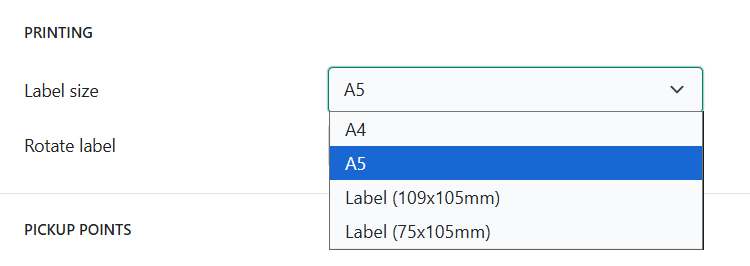
You can configure the shipping label size in the shipping carrier settings for each carrier. The shipping label that you receive from carrier API after creating a shipment and the size of it is determined by this configuration.
Configure Google Chrome printing settings
When you print shipping labels with Packrooster Shipping, a print preview is opened in Google Chrome. It is important to check a couple of settings here:
Paper size: Select the correct paper size here
Scale: Fit to printable area
Especially the scale is important to set to fit to printable area! This alone usually fixes the issue of shipping labels not scaling correctly.
Check the configurations of your paper size
If the previous settings do not help, check the paper size configured in your printer settings. Sometimes there might be errors there and re-configuring the paper width and height to match the correct paper size.