How to setup shipment dimensions
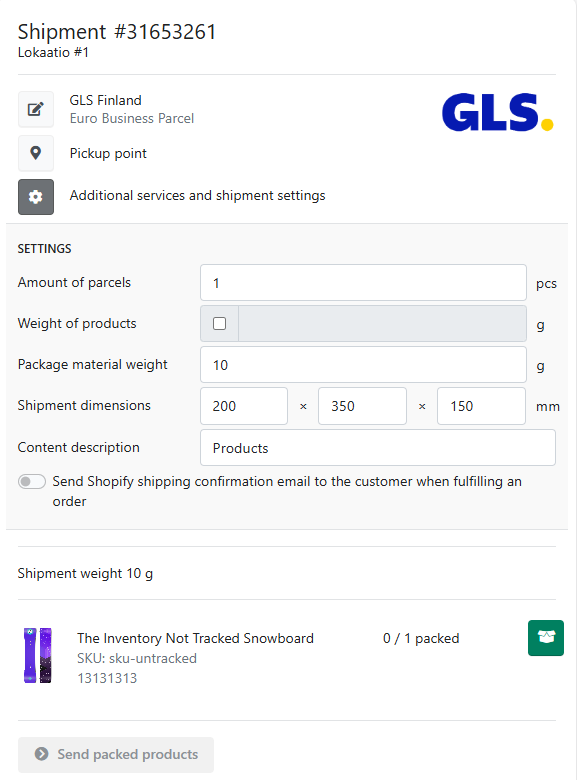
When you are creating shipments with Packrooster Shipping, parcel dimensions might come into question. In most of our shipping carrier integrations, it is possible to determine the shipment dimensions (width x length x height) for each shipment.
In the Apps carrier settings and if the measurements are supported, you can find the default dimensions.

If you type in the default package dimensions, these dimensions will be automatically used in the shipment creation.
It is also possible for the user to change the dimensions before shipment creation. Open the order you are about to process in Packrooster Shipping and select Additional services and shipment settings. You will find the dimensions there and change them when required.